
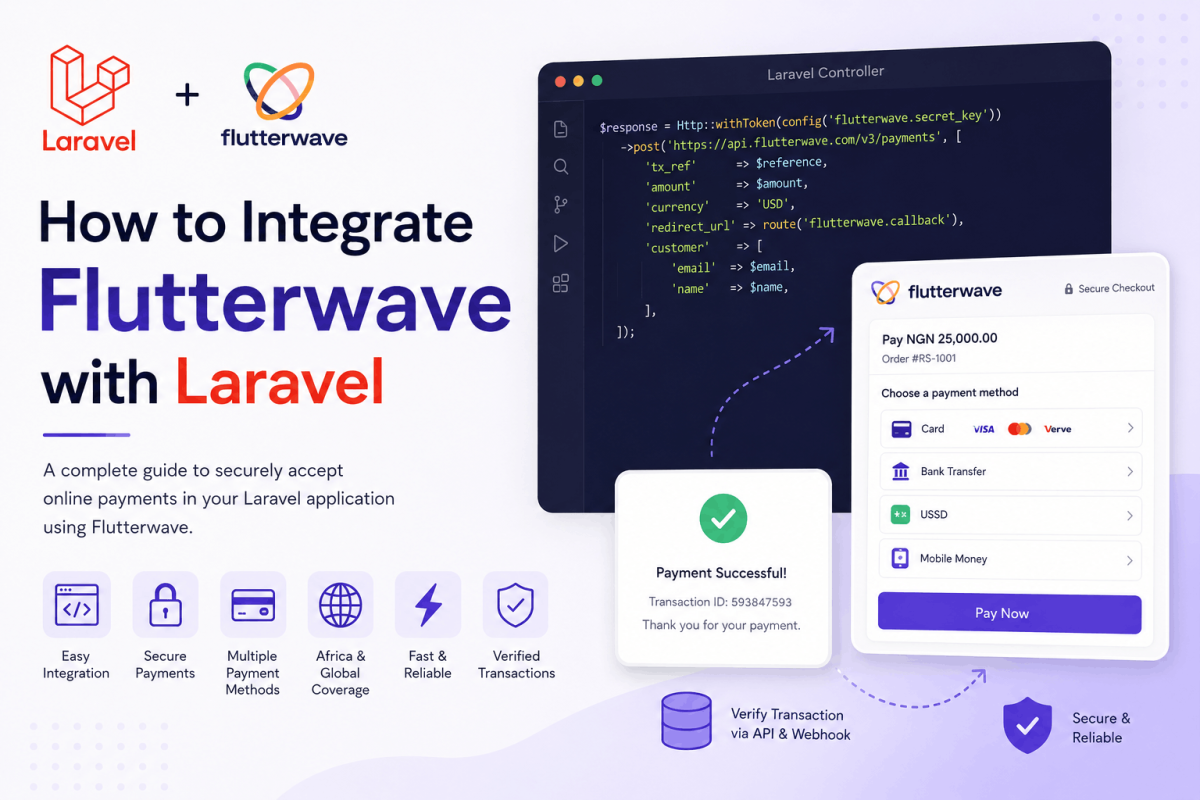
Flutterwave is a payment platform commonly used by businesses that need to accept online payments across African and international markets. It supports several payment methods, including cards, bank transfers, mobile money, USSD, and other region-specific options.
For Laravel developers, Flutterwave can be integrated through its APIs, hosted checkout options, PHP SDK, or Laravel package. One of the simplest and safest approaches is Flutterwave Standard, where your Laravel application creates a payment session and redirects the customer to a Flutterwave-hosted checkout page.
This guide explains how to integrate Flutterwave Standard with Laravel using Laravel’s built-in HTTP client. It also covers transaction verification, webhook handling, database updates, security practices, and production preparation.
Important: Payment APIs and authentication requirements can change. Review the current Flutterwave documentation and dashboard configuration before launching your integration.
How the Flutterwave Payment Flow Works
A typical Flutterwave Standard payment flow works as follows:
- The customer selects a product or service.
- Your Laravel application creates a pending payment record.
- Your server sends the payment details to Flutterwave.
- Flutterwave returns a hosted checkout link.
- Your application redirects the customer to that link.
- The customer completes or cancels the payment.
- Flutterwave redirects the customer to your callback URL.
- Your server verifies the transaction directly with Flutterwave.
- Your application updates the local payment record.
- A webhook provides an additional server-to-server payment notification.
Flutterwave recommends verifying transactions before delivering a product, activating a subscription, or marking an invoice as paid. The payment status displayed in the browser should not be trusted by itself. :contentReference[oaicite:0]{index=0}
Requirements
Before starting, you should have:
- A working Laravel application
- A Flutterwave business account
- Flutterwave test credentials
- A publicly accessible callback URL
- A publicly accessible webhook URL
- A database table for storing payments
- HTTPS enabled in production
Flutterwave provides test credentials so you can integrate and test payments before enabling live mode. :contentReference[oaicite:1]{index=1}
Step 1: Obtain Your Flutterwave Credentials
Log in to your Flutterwave dashboard and locate the API credentials for your test environment.
Depending on the Flutterwave API version available to your account, authentication may use secret keys or OAuth credentials. The examples below demonstrate the widely used Flutterwave v3 bearer-secret-key approach. Confirm the authentication method shown in your current Flutterwave dashboard and documentation before implementation. :contentReference[oaicite:2]{index=2}
Never place secret credentials directly inside controllers or commit them to Git.
Step 2: Add the Credentials to Laravel
Add the following values to your Laravel .env file:
FLUTTERWAVE_PUBLIC_KEY=FLWPUBK_TEST-your-public-key
FLUTTERWAVE_SECRET_KEY=FLWSECK_TEST-your-secret-key
FLUTTERWAVE_SECRET_HASH=your-webhook-secret-hash
FLUTTERWAVE_BASE_URL=https://api.flutterwave.com/v3
Your .env file should not be committed to source control because it contains sensitive application credentials. Laravel explicitly warns against committing environment files to a repository. :contentReference[oaicite:3]{index=3}
Step 3: Create a Flutterwave Configuration File
Create a configuration file:
config/flutterwave.php
Add the following configuration:
<?php

return [
    'public_key' => env('FLUTTERWAVE_PUBLIC_KEY'),
    'secret_key' => env('FLUTTERWAVE_SECRET_KEY'),
    'secret_hash' => env('FLUTTERWAVE_SECRET_HASH'),
    'base_url' => env(
        'FLUTTERWAVE_BASE_URL',
        'https://api.flutterwave.com/v3'
    ),
];
After changing configuration values on a deployed application, clear and rebuild Laravel’s configuration cache:
php artisan config:clear
php artisan config:cache
Step 4: Create the Payments Table
Generate a migration for storing local payment records:
php artisan make:migration create_payments_table
Update the generated migration:
<?php

use Illuminate\Database\Migrations\Migration;
use Illuminate\Database\Schema\Blueprint;
use Illuminate\Support\Facades\Schema;

return new class extends Migration
{
    public function up(): void
    {
        Schema::create('payments', function (Blueprint $table) {
            $table->id();
            $table->foreignId('user_id')
                ->nullable()
                ->constrained()
                ->nullOnDelete();

            $table->string('transaction_reference')->unique();
            $table->string('flutterwave_transaction_id')
                ->nullable()
                ->index();

            $table->decimal('amount', 15, 2);
            $table->string('currency', 10);
            $table->string('status')->default('pending');
            $table->string('payment_method')->nullable();
            $table->string('customer_email');
            $table->json('gateway_response')->nullable();
            $table->timestamp('paid_at')->nullable();
            $table->timestamps();
        });
    }

    public function down(): void
    {
        Schema::dropIfExists('payments');
    }
};
Run the migration:
php artisan migrate
Step 5: Create the Payment Model
Generate the model:
php artisan make:model Payment
Update app/Models/Payment.php:
<?php

namespace App\Models;

use Illuminate\Database\Eloquent\Model;
use Illuminate\Database\Eloquent\Relations\BelongsTo;

class Payment extends Model
{
    protected $fillable = [
        'user_id',
        'transaction_reference',
        'flutterwave_transaction_id',
        'amount',
        'currency',
        'status',
        'payment_method',
        'customer_email',
        'gateway_response',
        'paid_at',
    ];

    protected function casts(): array
    {
        return [
            'amount' => 'decimal:2',
            'gateway_response' => 'array',
            'paid_at' => 'datetime',
        ];
    }

    public function user(): BelongsTo
    {
        return $this->belongsTo(User::class);
    }
}
Step 6: Create a Flutterwave Service
Keeping gateway logic inside a dedicated service makes the integration easier to test, maintain, and replace.
Create:
app/Services/FlutterwaveService.php
Add the following code:
<?php

namespace App\Services;

use Illuminate\Http\Client\PendingRequest;
use Illuminate\Support\Facades\Http;
use RuntimeException;

class FlutterwaveService
{
    private function client(): PendingRequest
    {
        return Http::baseUrl(config('flutterwave.base_url'))
            ->withToken(config('flutterwave.secret_key'))
            ->acceptJson()
            ->asJson()
            ->timeout(30)
            ->retry(2, 500);
    }

    public function initializePayment(array $payload): array
    {
        $response = $this->client()
            ->post('/payments', $payload);

        if ($response->failed()) {
            throw new RuntimeException(
                $response->json('message', 'Unable to initialize payment.')
            );
        }

        $data = $response->json();

        if (
            ($data['status'] ?? null) !== 'success' ||
            empty($data['data']['link'])
        ) {
            throw new RuntimeException(
                $data['message'] ?? 'Flutterwave did not return a payment link.'
            );
        }

        return $data;
    }

    public function verifyTransaction(string|int $transactionId): array
    {
        $response = $this->client()
            ->get("/transactions/{$transactionId}/verify");

        if ($response->failed()) {
            throw new RuntimeException(
                $response->json('message', 'Unable to verify transaction.')
            );
        }

        return $response->json();
    }
}
Laravel’s HTTP client provides a convenient interface for making external API requests and handling responses. :contentReference[oaicite:4]{index=4}
Step 7: Create the Payment Controller
Generate a controller:
php artisan make:controller FlutterwavePaymentController
Update the controller:
<?php

namespace App\Http\Controllers;

use App\Models\Payment;
use App\Services\FlutterwaveService;
use Illuminate\Http\RedirectResponse;
use Illuminate\Http\Request;
use Illuminate\Support\Facades\DB;
use Illuminate\Support\Facades\Log;
use Illuminate\Support\Str;
use Illuminate\View\View;
use Throwable;

class FlutterwavePaymentController extends Controller
{
    public function __construct(
        private readonly FlutterwaveService $flutterwave
    ) {
    }

    public function checkout(): View
    {
        return view('payments.checkout');
    }

    public function initialize(Request $request): RedirectResponse
    {
        $validated = $request->validate([
            'email' => ['required', 'email', 'max:255'],
            'name' => ['required', 'string', 'max:255'],
        ]);

        /*
         * Never trust an amount submitted by the browser.
         * Load the product, order, invoice, or subscription price
         * from your own database.
         */
        $amount = '100.00';
        $currency = 'USD';
        $reference = 'RS-' . Str::upper((string) Str::uuid());

        $payment = Payment::create([
            'user_id' => auth()->id(),
            'transaction_reference' => $reference,
            'amount' => $amount,
            'currency' => $currency,
            'status' => 'pending',
            'customer_email' => $validated['email'],
        ]);

        try {
            $response = $this->flutterwave->initializePayment([
                'tx_ref' => $reference,
                'amount' => $payment->amount,
                'currency' => $payment->currency,
                'redirect_url' => route('flutterwave.callback'),
                'customer' => [
                    'email' => $validated['email'],
                    'name' => $validated['name'],
                ],
                'customizations' => [
                    'title' => config('app.name'),
                    'description' => 'Payment for order',
                ],
                'meta' => [
                    'payment_id' => $payment->id,
                    'user_id' => auth()->id(),
                ],
            ]);

            return redirect()->away($response['data']['link']);
        } catch (Throwable $exception) {
            Log::error('Flutterwave initialization failed', [
                'payment_id' => $payment->id,
                'message' => $exception->getMessage(),
            ]);

            $payment->update([
                'status' => 'initialization_failed',
            ]);

            return back()->with(
                'error',
                'The payment could not be started. Please try again.'
            );
        }
    }

    public function callback(Request $request): RedirectResponse
    {
        $status = $request->string('status')->toString();
        $reference = $request->string('tx_ref')->toString();
        $transactionId = $request->input('transaction_id');

        $payment = Payment::where(
            'transaction_reference',
            $reference
        )->first();

        if (!$payment) {
            return redirect()
                ->route('payment.failed')
                ->with('error', 'Payment record was not found.');
        }

        if ($status !== 'successful' || !$transactionId) {
            $payment->update([
                'status' => $status === 'cancelled'
                    ? 'cancelled'
                    : 'failed',
            ]);

            return redirect()->route('payment.failed');
        }

        try {
            $verification = $this->flutterwave
                ->verifyTransaction($transactionId);

            $verified = $this->paymentMatches(
                $payment,
                $verification
            );

            if (!$verified) {
                $payment->update([
                    'status' => 'verification_failed',
                    'gateway_response' => $verification,
                ]);

                return redirect()->route('payment.failed');
            }

            DB::transaction(function () use (
                $payment,
                $transactionId,
                $verification
            ): void {
                $payment->lockForUpdate();

                if ($payment->status === 'successful') {
                    return;
                }

                $payment->update([
                    'flutterwave_transaction_id' => $transactionId,
                    'status' => 'successful',
                    'payment_method' => data_get(
                        $verification,
                        'data.payment_type'
                    ),
                    'gateway_response' => $verification,
                    'paid_at' => now(),
                ]);

                /*
                 * Fulfil the order here, or dispatch a queued job.
                 * Ensure fulfilment is idempotent.
                 */
            });

            return redirect()->route('payment.success');
        } catch (Throwable $exception) {
            Log::error('Flutterwave verification failed', [
                'payment_id' => $payment->id,
                'transaction_id' => $transactionId,
                'message' => $exception->getMessage(),
            ]);

            return redirect()
                ->route('payment.failed')
                ->with(
                    'error',
                    'We could not verify the payment automatically.'
                );
        }
    }

    private function paymentMatches(
        Payment $payment,
        array $verification
    ): bool {
        $data = $verification['data'] ?? [];

        return ($verification['status'] ?? null) === 'success'
            && ($data['status'] ?? null) === 'successful'
            && ($data['tx_ref'] ?? null)
                === $payment->transaction_reference
            && ($data['currency'] ?? null)
                === $payment->currency
            && (float) ($data['amount'] ?? 0)
                >= (float) $payment->amount;
    }
}
Why the Verification Checks Matter
A successful verification should confirm more than the transaction status.
Your application should compare:
- The transaction status
- The transaction reference
- The currency
- The expected amount
- The associated customer or order
- Whether the transaction has already been processed
Flutterwave recommends checking the reference, successful status, currency, and amount before providing value to the customer. :contentReference[oaicite:5]{index=5}
Step 8: Define the Routes
Add the following routes to routes/web.php:
<?php

use App\Http\Controllers\FlutterwavePaymentController;
use Illuminate\Support\Facades\Route;

Route::get('/checkout', [
    FlutterwavePaymentController::class,
    'checkout',
])->name('checkout');

Route::post('/payments/flutterwave', [
    FlutterwavePaymentController::class,
    'initialize',
])->name('flutterwave.initialize');

Route::get('/payments/flutterwave/callback', [
    FlutterwavePaymentController::class,
    'callback',
])->name('flutterwave.callback');

Route::view('/payment/success', 'payments.success')
    ->name('payment.success');

Route::view('/payment/failed', 'payments.failed')
    ->name('payment.failed');
Step 9: Create the Checkout Form
Create:
resources/views/payments/checkout.blade.php
Add a basic form:
<!DOCTYPE html>
<html lang="en">
<head>
    <meta charset="UTF-8">
    <meta name="viewport" content="width=device-width, initial-scale=1.0">
    <title>Flutterwave Checkout</title>
</head>
<body>
    @if (session('error'))
        <p>{{ session('error') }}</p>
    @endif

    @if ($errors->any())
        <ul>
            @foreach ($errors->all() as $error)
                <li>{{ $error }}</li>
            @endforeach
        </ul>
    @endif

    <form
        method="POST"
        action="{{ route('flutterwave.initialize') }}"
    >
        @csrf

        <div>
            <label for="name">Name</label>
            <input
                id="name"
                type="text"
                name="name"
                value="{{ old('name') }}"
                required
            >
        </div>

        <div>
            <label for="email">Email</label>
            <input
                id="email"
                type="email"
                name="email"
                value="{{ old('email') }}"
                required
            >
        </div>

        <button type="submit">
            Pay with Flutterwave
        </button>
    </form>
</body>
</html>
Laravel supports request validation through controllers and form-request classes. Validate customer input before sending it to the payment provider. :contentReference[oaicite:6]{index=6}
Step 10: Add a Flutterwave Webhook
The callback URL is useful for the customer’s browser flow, but it should not be the only mechanism used to confirm payment.
The customer may close the browser before returning to your website. Some payment methods are also asynchronous, meaning the final status can arrive later.
A webhook allows Flutterwave to notify your Laravel server directly when the transaction status changes. Flutterwave recommends re-querying the API and verifying transaction details before providing value, even after receiving a webhook. :contentReference[oaicite:7]{index=7}
Generate a webhook controller:
php artisan make:controller FlutterwaveWebhookController
Add the following implementation:
<?php

namespace App\Http\Controllers;

use App\Models\Payment;
use App\Services\FlutterwaveService;
use Illuminate\Http\JsonResponse;
use Illuminate\Http\Request;
use Illuminate\Support\Facades\DB;
use Illuminate\Support\Facades\Log;
use Throwable;

class FlutterwaveWebhookController extends Controller
{
    public function __construct(
        private readonly FlutterwaveService $flutterwave
    ) {
    }

    public function handle(Request $request): JsonResponse
    {
        $signature = $request->header('verif-hash');
        $expectedHash = config('flutterwave.secret_hash');

        if (
            !$expectedHash ||
            !$signature ||
            !hash_equals($expectedHash, $signature)
        ) {
            Log::warning('Rejected invalid Flutterwave webhook');

            return response()->json([
                'message' => 'Invalid signature',
            ], 401);
        }

        $event = $request->all();
        $transactionId = data_get($event, 'data.id');
        $reference = data_get($event, 'data.tx_ref');

        if (!$transactionId || !$reference) {
            return response()->json([
                'message' => 'Webhook ignored',
            ]);
        }

        $payment = Payment::where(
            'transaction_reference',
            $reference
        )->first();

        if (!$payment) {
            Log::warning('Flutterwave payment record not found', [
                'transaction_id' => $transactionId,
                'reference' => $reference,
            ]);

            return response()->json([
                'message' => 'Payment not found',
            ]);
        }

        try {
            $verification = $this->flutterwave
                ->verifyTransaction($transactionId);

            $data = $verification['data'] ?? [];

            $verified = ($verification['status'] ?? null) === 'success'
                && ($data['status'] ?? null) === 'successful'
                && ($data['tx_ref'] ?? null)
                    === $payment->transaction_reference
                && ($data['currency'] ?? null)
                    === $payment->currency
                && (float) ($data['amount'] ?? 0)
                    >= (float) $payment->amount;

            if (!$verified) {
                return response()->json([
                    'message' => 'Transaction not verified',
                ]);
            }

            DB::transaction(function () use (
                $payment,
                $transactionId,
                $verification,
                $data
            ): void {
                $lockedPayment = Payment::query()
                    ->lockForUpdate()
                    ->findOrFail($payment->id);

                if ($lockedPayment->status === 'successful') {
                    return;
                }

                $lockedPayment->update([
                    'flutterwave_transaction_id' => $transactionId,
                    'status' => 'successful',
                    'payment_method' => $data['payment_type'] ?? null,
                    'gateway_response' => $verification,
                    'paid_at' => now(),
                ]);

                /*
                 * Dispatch an idempotent order-fulfilment job here.
                 */
            });

            return response()->json([
                'message' => 'Webhook processed',
            ]);
        } catch (Throwable $exception) {
            Log::error('Flutterwave webhook processing failed', [
                'transaction_id' => $transactionId,
                'message' => $exception->getMessage(),
            ]);

            return response()->json([
                'message' => 'Webhook processing failed',
            ], 500);
        }
    }
}
Step 11: Register the Webhook Route
Webhook endpoints are usually best placed in routes/api.php because API routes do not use the browser session or CSRF middleware by default.
<?php

use App\Http\Controllers\FlutterwaveWebhookController;
use Illuminate\Support\Facades\Route;

Route::post('/webhooks/flutterwave', [
    FlutterwaveWebhookController::class,
    'handle',
])->name('webhooks.flutterwave');
Your webhook URL would look similar to:
https://example.com/api/webhooks/flutterwave
Add this URL to the webhook settings in your Flutterwave dashboard and configure the same secret hash used in your Laravel environment file.
Flutterwave recommends using a secret hash to validate webhook requests. :contentReference[oaicite:8]{index=8}
Do Not Fulfil an Order Twice
The callback and webhook may both process the same transaction. Flutterwave may also retry webhook delivery if your server fails to respond successfully.
Your payment logic must therefore be idempotent.
Common safeguards include:
- A unique transaction reference
- A unique Flutterwave transaction ID
- A database transaction
- A row lock while processing the payment
- A check that the payment has not already succeeded
- An idempotency marker for order fulfilment
Do not create duplicate subscriptions, send duplicate products, or increase an account balance twice because the same payment notification was received more than once.
Store the Expected Amount on the Server
Never accept the payable amount directly from a hidden input field or JavaScript variable.
An attacker can modify browser-submitted values before the request reaches your Laravel application.
Instead:
- Receive the product, order, plan, or invoice identifier.
- Load the authoritative record from your database.
- Calculate the amount on the server.
- Store that amount in the local payment record.
- Compare it against Flutterwave’s verified response.
Recommended Payment Statuses
A practical payment table may use statuses such as:
pendingsuccessfulfailedcancelledverification_failedinitialization_failedrefunded
Using clear statuses makes payment reporting, support, reconciliation, and retry handling easier.
Testing the Integration
Use Flutterwave test mode before switching to production.
Test at least the following scenarios:
- Successful card payment
- Failed payment
- Cancelled checkout
- Incorrect transaction reference
- Incorrect currency
- Amount mismatch
- Invalid webhook signature
- Duplicate webhook delivery
- Callback received before webhook
- Webhook received before callback
- Flutterwave API timeout
- Customer closes the browser after payment
Flutterwave provides test-mode guidance and test credentials for integration testing. :contentReference[oaicite:9]{index=9}
Using a Local Development Environment
Flutterwave cannot send webhook requests to a URL such as:
http://127.0.0.1:8000
During local development, use a secure tunnelling service to expose your Laravel webhook endpoint through a temporary public HTTPS URL.
Update the webhook URL in your Flutterwave test dashboard whenever the tunnel address changes.
Logging and Error Handling
Payment integrations should provide useful internal logs without exposing sensitive information.
Log details such as:
- The local payment ID
- The transaction reference
- The Flutterwave transaction ID
- The payment status
- Verification failures
- Webhook processing failures
- External API response codes
Do not log:
- Secret keys
- Card numbers
- CVV values
- Authentication tokens
- Unnecessary customer personal information
Flutterwave advises developers to handle API errors and edge cases rather than assuming every request succeeds. :contentReference[oaicite:10]{index=10}
Security Checklist
- Keep Flutterwave secret credentials on the server.
- Never expose the secret key in JavaScript.
- Do not commit the
.envfile. - Use HTTPS for callbacks and webhooks.
- Validate all customer input.
- Generate transaction references on the server.
- Store expected amounts in your database.
- Verify every successful transaction server-side.
- Compare the reference, status, currency, and amount.
- Validate the webhook secret hash.
- Make payment fulfilment idempotent.
- Restrict access to payment logs and database records.
- Rotate compromised credentials immediately.
Preparing for Production
Before enabling live payments:
- Complete Flutterwave business verification.
- Obtain live API credentials.
- Replace test credentials with live credentials.
- Confirm the correct authentication method.
- Configure the live webhook URL.
- Configure a strong webhook secret hash.
- Confirm supported currencies and payment methods.
- Review settlement and transaction fees.
- Test a small real transaction.
- Confirm successful settlement and reconciliation.
- Set up payment failure monitoring.
- Document refund and dispute procedures.
Some Flutterwave payment methods may require additional approval or account configuration before they become available. :contentReference[oaicite:11]{index=11}
Direct API Integration vs Laravel Package
Flutterwave has PHP tooling and a Laravel package that can reduce the amount of integration code required. :contentReference[oaicite:12]{index=12}
A package may be useful when:
- You need a faster initial setup.
- The package supports your required payment flow.
- The package is actively maintained.
- Its API version matches your Flutterwave account.
A direct HTTP integration may be preferable when:
- You need complete control over requests and responses.
- You want fewer external dependencies.
- You need custom logging or retry behaviour.
- You want the integration to remain easy to audit.
- You need features not supported by the package.
Before using any package, inspect its maintenance history, supported Flutterwave API version, open issues, release activity, and compatibility with your Laravel version.
Common Flutterwave Integration Mistakes
Trusting Only the Redirect Response
A browser callback can be manipulated and may never arrive. Always verify the transaction through Flutterwave’s server-side API.
Using the Submitted Amount
Never trust an amount sent by the customer’s browser. Calculate the amount from your own order or product record.
Not Checking Currency
A successful payment in the wrong currency should not automatically complete the order.
Skipping Webhook Validation
An unvalidated webhook endpoint can receive forged requests. Validate the configured secret hash before processing the event.
Processing the Same Payment Multiple Times
Callbacks and webhooks may overlap. Use idempotent processing, database locks, and unique transaction identifiers.
Hardcoding Secret Credentials
Store payment credentials in environment variables and access them through Laravel configuration.
Exposing Raw Gateway Errors
Customers should receive understandable messages. Detailed gateway responses should remain in protected application logs.
Building Reliable Flutterwave Payments with Laravel
A reliable Flutterwave integration requires more than redirecting a customer to a checkout page. Your Laravel application must create local payment records, generate unique references, initialize payments securely, verify transactions server-side, process authenticated webhooks, and prevent duplicate fulfilment.
Flutterwave Standard provides a practical hosted checkout flow for Laravel applications that need to support African and international payment methods without collecting sensitive card information directly.
RuhaniSoft helps businesses integrate Flutterwave and other payment gateways into Laravel applications. This includes checkout development, transaction verification, webhook processing, subscriptions, invoices, payment reporting, reconciliation workflows, and production deployment.